Untitled.md
# Write Markdown.
## See it rendered.

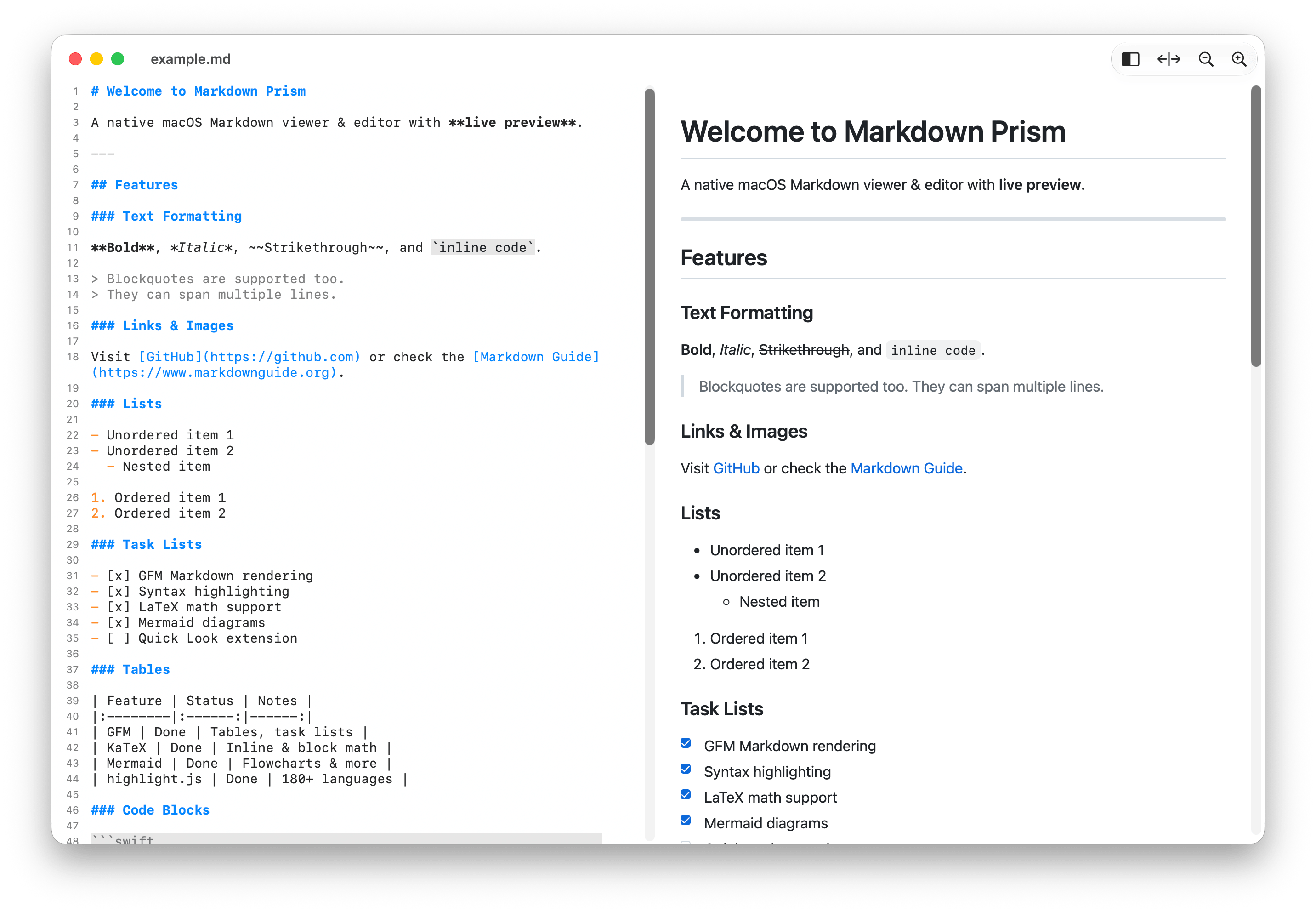
A native macOS editor. Your
text on the left, the finished
document on the right, as
you type.
Write Markdown.
See it rendered.
A native macOS editor. Your text on the left, the finished document on the right, as you type.
$
Or download the .dmg
brew install --cask hulryung/tap/markdown-prism
What it renders
Everything below is GitHub Flavored Markdown, plus the two things technical writing always ends up needing.
math.md
Inline $E = mc^2$ and display:

$$
\sum_{n=1}^{\infty} \frac{1}{n^2} = \frac{\pi^2}{6}
$$
Inline E = mc2 and display:
∑n=1∞ 1/n2 = π2/6
status.md
| Feature | Status |
|---------|--------|
| GFM     | Done   |
| KaTeX   | Done   |

- [x] Ship the editor
- [ ] Write the docs
| Feature | Status |
|---|---|
| GFM | Done |
| KaTeX | Done |
- Ship the editor
- Write the docs
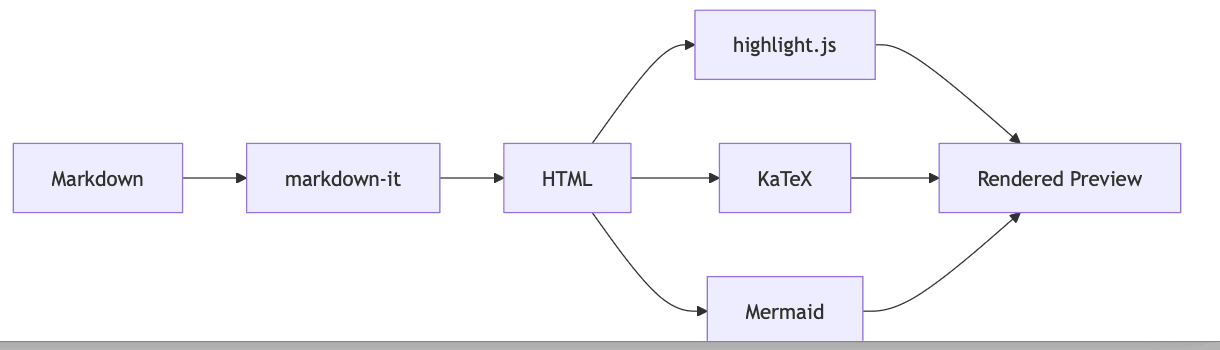
pipeline.md
```mermaid
graph LR
  A[Markdown] --> B[markdown-it]
  B --> C[HTML]
```
Built like a Mac app, not a browser tab
It opens documents, not projects. Everything you already know how to do works the way you expect.
- Tabs and windows
- A document per window, merged into native tabs when you want them.
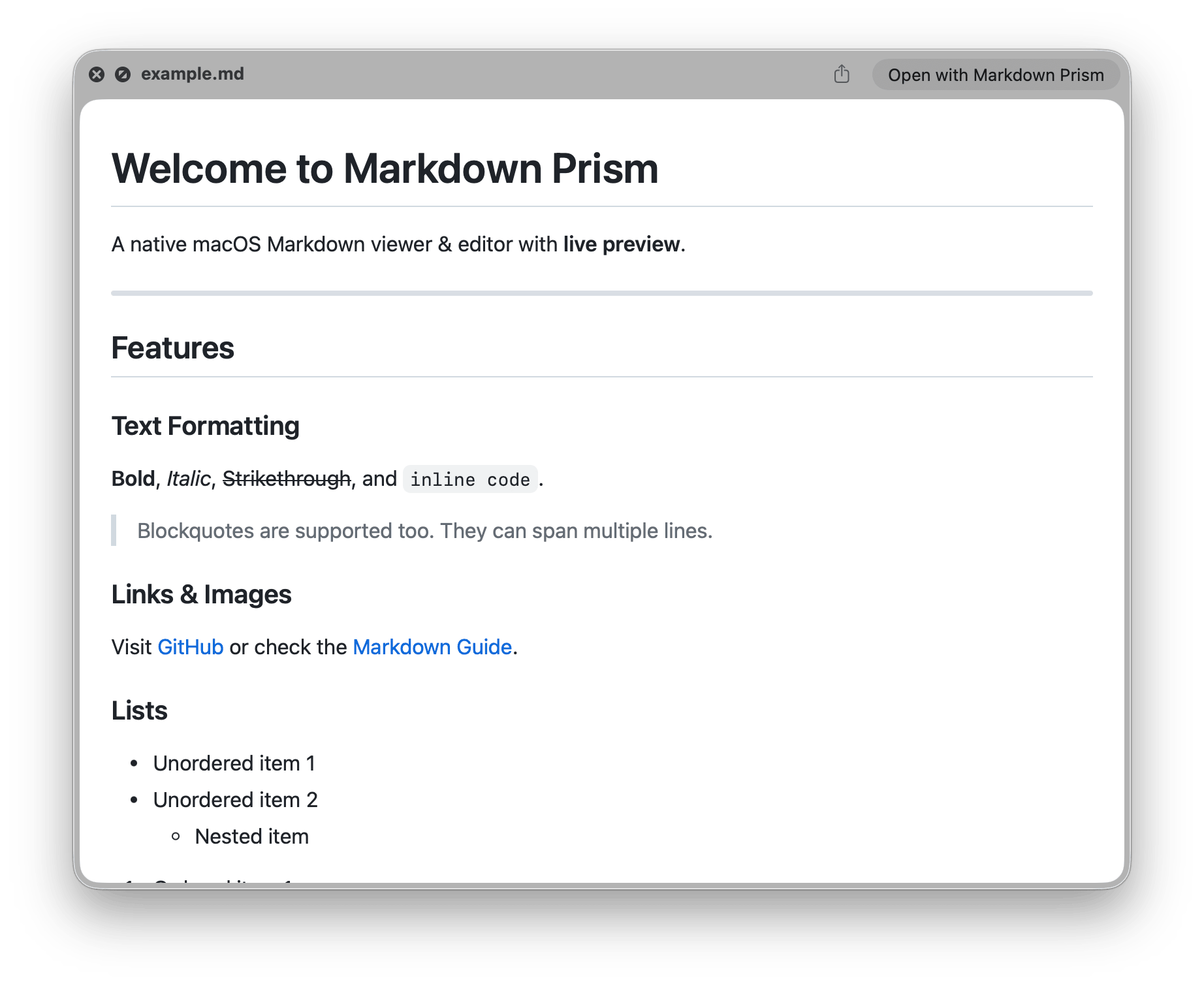
- Quick Look
- Select a
.mdfile in Finder, press space, read it rendered. - Scroll sync
- The editor and the preview follow each other, both ways.
- Reloads on change
- Edit the file elsewhere and the open document catches up.
- Find and replace
- Across source and preview together, with regular expressions.
- Nothing leaves the machine
- Parser, highlighter, math and diagrams all ship inside the app.
Install
Homebrew keeps it up to date. The disk image is signed and notarized, so macOS opens it without a detour through Settings.
$
Download the .dmg from Releases
brew install --cask hulryung/tap/markdown-prism